
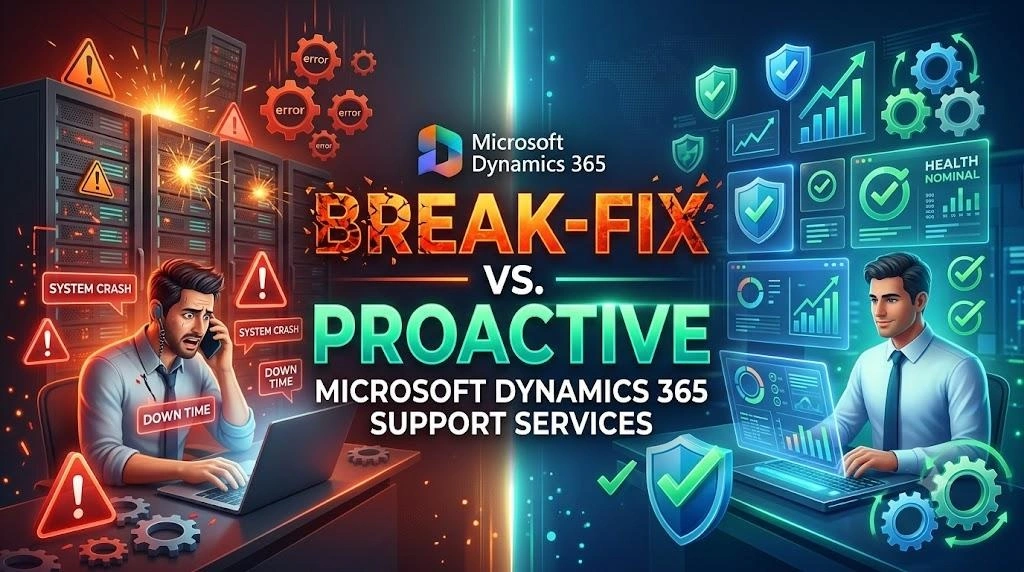
Break-Fix vs Proactive Microsoft Dynamics 365 Support Services
Microsoft Dynamics 365 helps businesses control important areas like finance, sales operations, customer service and supply chain operations. As companies become much more dependent on the programs, making sure that the system is functional and reliable is vital.
This is the area where Dynamics 365 Support Services play a crucial role. Continuous support assists businesses in resolving technical issues, monitor the system’s performance, monitor the process of updating, and help users in the event of problems.
Companies can pick between two support methods. The one is called Break-fix Dynamics 365 support, in which the support team is able to tackle the issue once it is discovered. The second option is Proactive Dynamics365 Support where the team is constantly monitoring the system and attempts to fix issues prior to impacting the operations of a business.
Both have their own place. However, the way they approach cost response, as well as longer-term business benefits may be quite different.
Knowing these differences will help companies choosing the best Microsoft Dynamics 365 Support Services to meet their requirements.
What Are Dynamics 365 Support Services?
Dynamics 365 Support Services cover the technical and functional support companies require after implementing Dynamics 365. Support does not only consist of fixing any errors. It could also encompass monitoring and optimization of systems upgrades and integrations, security and support for users.
A support partner can help companies with:
- Functional support
- Monitoring of the system
- Improvement in performance
- Microsoft updates
- Support for customization
- Integration problems
- Problems with accessing users
- Data-related problems
- Security reviews
- Optimization of workflow
- Maintenance on-going
The specific services are dependent on the company’s Dynamics 365 applications, customizations as well as integrations and business processes.
What Is Break-Fix Dynamics 365 Support?
Break-fix Dynamics 365 support follows a response strategy. Support personnel take action in the event that a problem has been discovered.
In this case, for instance, users may have a problem with connecting to an application. A workflow might not function properly. An integration may fail. The report could show inaccurate data.
In a break-fix approach in which the company reports the problem for support. The support team investigates the root cause and develops an approach to solve the issue.
The fundamental process typically is as follows:
- A problem occurs.
- Users report and identify the issue.
- The support team is investigating the problem.
- The root of the issue is discovered.
- A solution is put in place.
- Normal business operations resume.
This strategy can be helpful for businesses with little issues or have a well-established internal IT department.
Benefits of Break-Fix Dynamics 365 Support
While reactive support is not without its limitations, it may offer certain advantages.
- Lower Upfront Commitment
Companies may not have to cover the cost of monitoring continuously when they only require periodic technical support.
- Suitable for Smaller Requirements
Businesses with basic Dynamics 365 environments might not require a lot of ongoing support.
- Direct Issue Resolution
When a problem is encountered and support staff is required, they focus entirely on solving the problem.
- Flexible Support
Businesses can ask for help when they need it instead of having an internal support staff.
However, these benefits have been assessed in conjunction with the risk of waiting until the issue affects business operations.
Limitations of Break-Fix Dynamics 365 Support
The most significant drawback to breaks-fix assistance is the fact that the company typically responds to problems after it has already impacted users.
Unexpected Downtime
A system malfunction could disrupt important business methods. Work might not be able to access information or perform important tasks.
Lost Productivity
Employees can be caught waiting for a problem to be addressed instead of doing their job.
Higher Emergency Costs
The most critical issues could require immediate assistance. Problem-solving in an emergency may be more costly than scheduled maintenance.
Repeated Problems
If the cause of the issue is not addressed properly this issue could happen again.
Performance Problems
Small issues with performance may go unnoticed until they grow into a problem. This could affect app response times as well as productivity of the user.
What Is Proactive Dynamics 365 Support?
Proactive Dynamics 365 support focuses on stop problems, not simply reacting to them.
As opposed to waiting until users raise an issue, support experts constantly review their Dynamics 365 environments. They examine system health security, performance Integrations, and other areas of importance.
Potential issues can be discovered and rectified before they create major disruptions.
A proactive support strategy could consist of:
- Continuous system monitoring
- Regular health check-ups
- Reviews of performance
- Security assessments
- Update management
- Optimizing databases
- Monitoring integration
- Backup checks
- Review of workflow
- Capacity planning
Advantages of Proactive Dynamics 365 Support
Proactive support can bring many advantages for companies over the long term.
Lessen Downtime
Checking regularly helps to detect warning signs before they turn into serious issues. This will help prevent interruptions that are unexpected.
Better System Performance
Continuous checking and optimization will aid in keeping demands up-to-date. This is a vital aspect of Dynamics 365 execution optimization.
Improved Security
Regular security audits will help you identify security issues as well as outdated equipment, and other possible risks.
Higher Productivity
If the system functions reliably workers can focus more time working instead of trying to solve technical problems.
Better Planning
Support that is proactive gives businesses an improved understanding of the system’s performance as well as future requirements. This helps plan for upgrades, integrations, and capacity requirements.
Lower Long-Term Risk
In the event of a problem, preventing it can minimize the effects of major breakdowns and unexpected break to operations.
Break-Fix Vs Proactive Dynamics 365 Support
The primary distinction between the two models is the timing.
With the help of Break-fix Dynamics 365 companies do not have to wait for an issue to be discovered before deciding to take actions. The goal is to restore normal working as soon as possible.
Through Proactive Dynamics 365 support, the support team constantly looks for any potential issues. The goal is to stop malfunctions and to maintain the health of the system.
Support for break-fix issues may be necessary for businesses that have very limited Dynamics 365 usage and rarely encounter technical issues. Support that is proactive is typically more appropriate for businesses that rely upon Dynamics 365 for critical business processes.
The decision should be based on the complexity of the organization’s system and business needs internal IT resources and the risk tolerance.
How Dynamics 365 Performance Optimization Helps Industry
Performance may decrease usually as the Dynamics 365 environment becomes more difficult. The addition of more users, information, customizations, workflows and integrations could create more stress on the system.
Dynamics 365 optimization of performance helps detect and resolve these issues prior to them becoming significant impact users.
Common optimization tasks are:
Reviewing Customizations
Customizations that are not needed or well-designed could affect the performance of an application. A review of custom-designed features can reveal areas in need of improvements.
Optimizing Workflows
Complex workflows can cause delays in processing. Developers can look over the workflows and make them simpler when they are able.
Monitoring Integrations
Many businesses have to connect Dynamics 365 with other applications. Integrations that fail or are not efficient can cause problems with data flow and performance.
Reviewing Data
Massive amounts of unneeded or unmanaged data could cause certain operations to be more challenging. Regularly managing data can help support higher performance.
Monitoring System Usage
The ability to monitor system behavior allows you to detect irregular process activity, slow processing, and possible performance bottlenecks.
Why Businesses Are Moving Toward Proactive Support
A lot of businesses are now treating their platforms for technology as vital elements of their business. Problems in finance, CRM customer service, finance, or supply chain software could affect multiple departments simultaneously.
This is because waiting for problems to develop is a risk that can be unneeded.
Support for proactive users is a more systematic method of support. Instead of focusing solely on resolving problems, companies can continue to make improvements to your Dynamics 365 environment.
This could help companies:
- To avoid problems that come back
- Increase the reliability of application
- Perform better
- Be prepared for growth to come.
- Reduce unexpected disruptions
- Improve user satisfaction
- Help to ensure continuity of business
When you work in companies with difficult Dynamics 365 environments, proactive maintenance is an integral component of their method to the advancement of technology.
What Should You Look for in Microsoft Dynamics 365 Support Services
An experienced help service is vital since each Dynamics 365 environment is unique and is governed by its own specific demands.
Prior to deciding on a supplier, companies should take into consideration a variety of elements.
Dynamics 365 Expertise
The company that provides this service should know about Dynamics 365 applications used by the company. Being able to modify and connect the various applications could prove extremely valuable.
Technical and Functional Support
A good support system should address both functional and technical requirements for business.
Proactive Monitoring
Find out if the service provider provides regular monitoring of the system as well as health checks and performance reviews instead of just support based on incidents.
Fast Response
Examine the response from the provider as well as resolution promises. Clear Service Level Agreements aid in setting expectations.
Security Knowledge
The service provider must be aware of the importance of security control of access, information security and any specific regulations for compliance.
Conclusion
Dynamics 365 support services are vital to keep your business applications safe, secure and efficient. In contrast to Break-fix Dynamics 365 support focuses on fixing issues after they happen, Proactive Dynamics 365 support concentrates on preventing issues and ensuring the health of the system.
For companies that rely in large part in Dynamics 365, proactive support can reduce the amount of downtime, boost productivity, increase security, and help with the continuous Dynamics 365 performance optimization.
The appropriate Microsoft Dynamics 365 Support Services provider must provide the ability to perform preventive maintenance as well as fast resolution of issues. If you choose a support approach that is based on the business requirements companies can ensure an enduring Dynamics 365 environment and also prepare their systems for the future of growth.